
Company:
Sofi Financing Inc.
SEC Registration No. CS201908275 SEC Certificate of Authority No. 1324
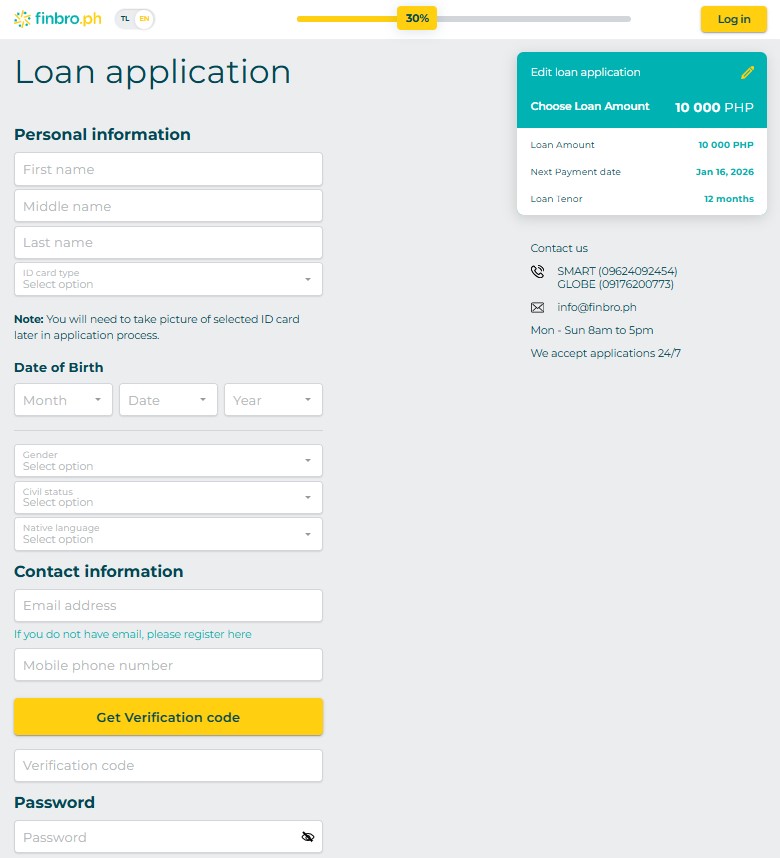
To register for a personal account on Finbro.ph, visit the website and choose the option to sign up as a new client. Provide the required information such as your full name, valid ID, contact details, and loan preferences. Complete the registration form and submit it for verification. Once approved, your personal account will be created, allowing you to manage your loans online.
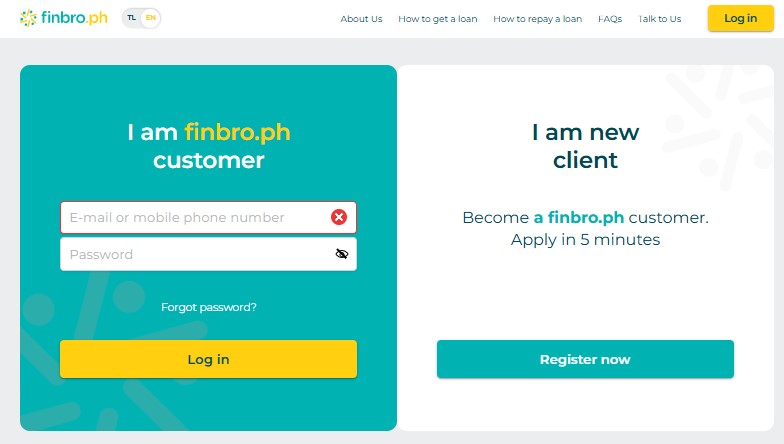
If you already have an account, simply go to the Finbro.ph homepage and click on the "Login" button. Enter your registered email or phone number along with your password. After successful authentication, you will be directed to your personal account dashboard to access your loan details and manage your profile.
The Finbro personal account allows you to:
If you forget your password, click the "Forgot Password?" link on the login page. Enter your registered email or phone number to receive a password reset link or code via SMS/email. Follow the instructions to create a new password and regain access to your personal account.
To delete your Finbro personal account, contact customer support through the website or via the provided contact email/info. Account deletion requests require verification to ensure security. Once confirmed, your account and all associated data will be permanently removed from the system.
Finbro's personal cabinet is the account used to apply for a loan and monitor its repayment. Borrowers sign in through the lender's website using a registered phone number or email and password. Existing borrowers can check approval status, loan balance, payment history and scheduled due dates. The same profile gives access to new loan applications and updates of personal or contact information. Finbro also distinguishes between full repayment and a Minimum Payment that may extend the next payment deadline for 7, 14 or 30 days; the borrower should read the amount displayed before choosing either action. If account access has been lost, the login page describes Forgot Password?, which sends recovery instructions to the registered email or phone.
After a Finbro repay login, review the account's total outstanding balance and next payment date. The Finbro interface supports repayment management and a minimum-payment extension, while the published GCash instructions specify PayExpress as the biller. If paying via GCash, obtain the repayment reference from Finbro, select Bills → Payment Solutions → PayExpress and supply the reference and your Finbro-registered mobile number. For alternatives, the main page lists Maya, 7-Eleven CliQQ, M.Lhuillier, Palawan Pawnshop, Bayad Center and bank transfer. For an unposted transfer, contact SMART 0969 047 1419 or GLOBE 0917 620 0773 with your receipt.
Sign in and open Profile Settings, the location identified on the Finbro loan page for updating contact details. If you have lost the old mobile number needed for verification, contact 0969 047 1419 (SMART) or 0917 620 0773 (GLOBE) for account assistance.
Review your Finbro loan and payment reference in the personal account, then open GCash Bills → Payment Solutions → PayExpress. Enter the reference number and registered mobile number and confirm the amount. Retain the payment receipt while Finbro posts the transaction.
Check whether you are using the phone number or email registered with Finbro, and use Forgot Password? if the password is wrong. Follow any SMS verification request, install app updates from an official store and contact Finbro via its published SMART or GLOBE numbers if access remains blocked.
Submit an account-closure request through Finbro customer support, using the official website or the published phone numbers 0969 047 1419 (SMART) and 0917 620 0773 (GLOBE). Ask the lender to confirm the status of any outstanding loan and its identity-verification requirements; account closure is not the same as writing off an unpaid balance.
Your Feedback Matters!
Share your experience about Finbro and help a fellow kabayan make the right choice. It only takes a minute!
Interest |
Loan amount |
Term |
Borrower age |
SEC registered |
||
|---|---|---|---|---|---|---|

|
APR 143% per year
|
₱1,000 — ₱20,000
|
from 61 to 183 days
|
22 — 70 years
|
Registration № CS201726430, CA №1181
|
|

|
APR 182%
|
₱1,000 — ₱30,000
|
from 61 to 364 days
|
21 — 70 years
|
SEC Registration No. 2021030009095-02 Certificate of Authority No. 3427
|
|

|
0.16% per day
|
₱500 — ₱25,000
|
from 15 to 135 days
|
20 — 55 years
|
SEC Registration No. CS201918702. Certificate of Authority No. 3169, NPC Registration No. PIC-001-791-2021
|
|


