
Company:
Kviku Lending Co. INC.
SEC Registration No. CS201918702. Certificate of Authority No. 3169, NPC Registration No. PIC-001-791-2021
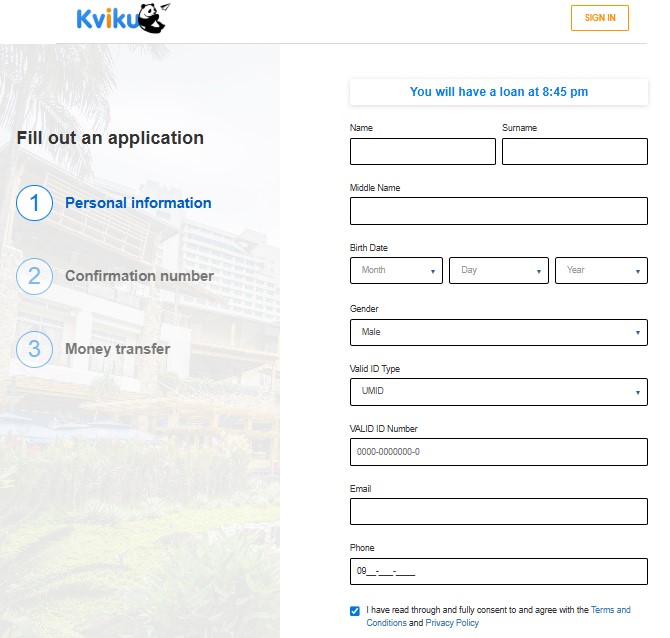
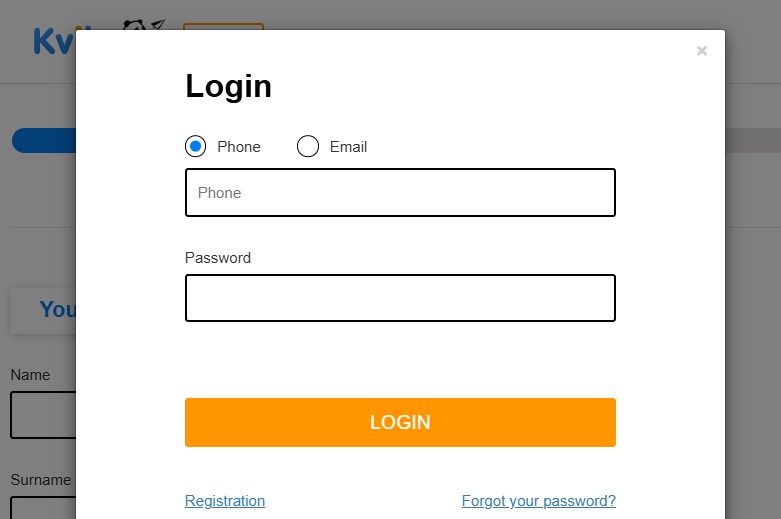
Once logged in, your Kviku personal account provides access to:
If you’ve forgotten your password:
To delete your Kviku account:
Note:
Kviku's personal cabinet links online applications with loan repayment. Borrowers access their account through the registered email or phone number and password, with extra verification where enabled. Once logged in, the borrower can review an active agreement, outstanding balance, loan limit and past transactions. The cabinet also displays payment information and is used to start a new loan request or update profile details. An important Kviku-specific action is Pay: the lender's published instructions direct customers to this control in their Profile when they need bank-transfer information. The bank option opens account details to use for payment, while Kviku's site also describes an online card route. If the password is lost, the login guide describes Forgot Password?, with a reset link or code sent to the registered contact. Customer support may be required when the registered phone or email is no longer accessible.
From the Kviku account, review the amount due and select Pay in the profile. For bank transfer, choose that option to display Kviku's bank instructions; the lender warns that this channel may require up to five days for processing. The website also supports card payment, requesting cardholder details and an SMS confirmation code. If a completed repayment is still missing from the account, Kviku's published FAQ advises sending the proof of payment to support.
Kviku's login description includes profile-contact edits. If your current login works, review the contact details in the account; if SMS confirmation prevents the change or you no longer control the number, write to [email protected] to request verified account recovery.
Kviku's profile has a Pay function for bank and card payments. Its published GCash route is in the GCash app: Pay Bills → Loans → Dragon Loans, followed by the reference/payment amount and contact mobile number requested for the transaction. Keep the receipt and check your Kviku loan balance.
Check the registered email or phone and password, use Forgot Password? to request a reset code or link, and update the official Android app if necessary. When SMS verification fails or account access remains restricted, contact [email protected] with the account-identifying details requested by support.
Your Feedback Matters!
Share your experience about Kviku and help a fellow kabayan make the right choice. It only takes a minute!
Interest |
Loan amount |
Term |
Borrower age |
SEC registered |
||
|---|---|---|---|---|---|---|

|
APR 145%
|
₱500 — ₱20,000
|
from 3 to 6 months
|
22+ years
|
SEC Registration number: CS201953073., Certificate of Authority №1254
|
|

|
from 0%
|
₱1,000 — ₱50,000
|
up to 12 months
|
20 — 70 years
|
SEC Registration No. CS201908275 SEC Certificate of Authority No. 1324
|
|

|
APR 182%
|
₱1,000 — ₱30,000
|
from 61 to 364 days
|
21 — 70 years
|
SEC Registration No. 2021030009095-02 Certificate of Authority No. 3427
|
|

