Date of publication: 11.06.2026 . Author: ploan.ph
 Table of Contents
A Pag-IBIG Loan Form is the application document used when applying for a Pag-IBIG loan. It collects your personal details, Pag-IBIG membership information, employer or income details, loan purpose, preferred loan amount, and required signatures.
There is no single form for all Pag-IBIG loans. The correct form depends on the type of loan.
The most common Pag-IBIG loan forms are:
| Loan type | Form usually needed |
|---|---|
| Multi-Purpose Loan | Multi-Purpose Loan Application Form |
| Calamity Loan | Calamity Loan Application Form |
| Housing Loan | Housing Loan Application Form |
| Home Equity / other special home loans | Specific form for the program |
| Health and Education Loan Programs | Program-specific forms and requirements |
Do not use a form just because it says “Pag-IBIG loan” on top. Check the exact loan type and the latest version.
Use the Multi-Purpose Loan Application Form if you are applying for the Pag-IBIG Multi-Purpose Loan, also called MPL.
This loan is for qualified members who need cash for general expenses, such as:
Many Filipinos informally call this a “Pag-IBIG salary loan,” but the official product is the Multi-Purpose Loan.

Use the Calamity Loan Application Form if you are applying for financial assistance after a calamity.
This loan is available only if your residence or workplace is in an area declared under a state of calamity and Pag-IBIG has opened the loan window for affected members.
Use this form only when your application is calamity-related. If your area is not covered, the Multi-Purpose Loan may be the more relevant option.
More about Pag-IBIG Calamity Loan.

Use the Housing Loan Application Form if you are applying for home financing.
This form is for loan purposes such as:
A housing loan application usually requires more documents than a cash loan because Pag-IBIG must evaluate both the borrower and the property.
More about Pag-IBIG Housing Loan
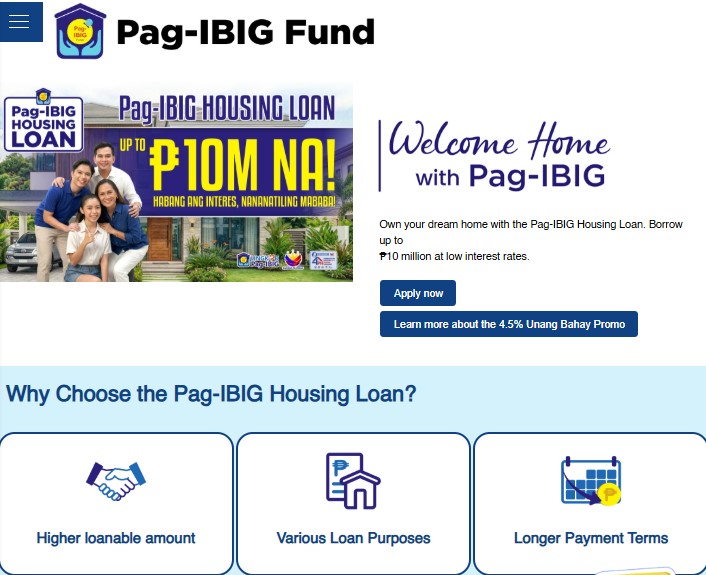
The safest place to get a Pag-IBIG loan form is from official Pag-IBIG channels.
You can usually get the form from:
Avoid downloading forms from random websites, file-sharing platforms, or old social media posts. Some third-party copies may be outdated, incomplete, edited, or not suitable for the current application process.
Before using a form, check:
For many applications, yes. Virtual Pag-IBIG allows members to file certain loan applications online. Depending on the service, you may need to upload a completed form and supporting documents, or complete parts of the application through the online system.
For short-term loans such as Multi-Purpose Loan and Calamity Loan, online filing may require:
For housing loan applications, online filing may require:
Online filing does not mean Pag-IBIG will ignore missing signatures or incomplete fields. If the form is unclear, unsigned, or inconsistent with your records, the application may be delayed.
The exact fields depend on the loan type, but most Pag-IBIG loan forms ask for the following information.
Prepare your:
Use the same name that appears in your Pag-IBIG records and valid ID. If your name has changed because of marriage, correction, or other reasons, update your records first or prepare supporting documents.
You may need to provide:
Wrong MID number or outdated membership information is one of the common reasons applications get delayed.
For employed members, the form may ask for:
For self-employed members, the form may ask for:
For OFWs, the form may ask for:
Use income figures that you can support with documents. Pag-IBIG may ask for proof.
Depending on the form, you may need to enter:
Do not write a loan amount just because you want it. Pag-IBIG will still compute the final approved amount based on eligibility, savings, income, property appraisal, and other rules.
Most forms require your signature. Some applications may also require:
Missing signatures can delay the application even if the rest of the form is complete.
The Multi-Purpose Loan form is usually used for short-term cash needs.
Write your correct Pag-IBIG Membership ID number. Do not guess. Check Virtual Pag-IBIG, your old records, or ask Pag-IBIG if you are unsure.
Use your legal name exactly as it appears in your Pag-IBIG record and valid ID.
Check:
A mismatch can cause verification problems.
If employed, enter the correct employer name and address. If your employer has changed, make sure your records are updated.
If self-employed, voluntary, or OFW, provide the income and membership details required by the form and prepare supporting documents.
Choose the loan purpose that best matches how you intend to use the money. MPL may be used for many personal needs, but you should still answer truthfully.
You may indicate the amount you are applying for, but Pag-IBIG will compute the final loanable amount.
For MPL, the possible amount is generally based on your Pag-IBIG Regular Savings and loan eligibility. Existing loan balances may reduce the net proceeds.
Sign where required. If the form requires employer certification or witness signatures, complete these before uploading or submitting.
For online short-term loan filing, prepare clear copies of:
Make sure the images are readable before uploading.
The Calamity Loan form is for members affected by a declared calamity.
Do not fill out the form first and check later. Confirm that your residence or workplace is in a covered area under an active calamity loan window.
Provide your:
Your address matters because calamity loan eligibility depends on the covered location.
The form may require information related to the calamity, such as the affected area or loan purpose.
Be accurate. If your area is not covered, the application may be rejected.
If employed, your employer may need to certify parts of the application or assist with filing.
If you are self-employed, voluntary, or an OFW, check the requirements that apply to your membership category.
For online short-term loan filing, prepare:
The Housing Loan form is more detailed than short-term loan forms because it involves property financing.
Choose the correct purpose:
This matters because each purpose may require different property documents.
Provide accurate personal details, contact information, Pag-IBIG MID number, and income details.
If you have a co-borrower, their information and documents may also be required.
For housing loans, you may need to provide:
Do not rely on incomplete seller information. Ask for title, tax declaration, and other property documents early.
For locally employed borrowers, Pag-IBIG may accept documents such as a Certificate of Employment and Compensation, Income Tax Return with BIR Form 2316, or a recent certified payslip.
For self-employed borrowers, acceptable proof may include tax returns, business registration, audited financial statements, bank statements, commission vouchers, or other documents validating income.
For OFWs, acceptable proof may include employment contract, POEA standard contract, Certificate of Employment and Compensation, or other income documents accepted by Pag-IBIG.
For online housing loan application, prepare one valid ID with signature and a clear selfie photo showing your ID card.
The ID should be readable and valid. For housing-related transactions, some IDs may not be accepted, so check the latest valid ID list before submitting.
Before submitting, check:
A housing loan application can be delayed for both borrower-related and property-related issues.
This is common. A Multi-Purpose Loan form cannot replace a Housing Loan form. A Calamity Loan form is not for ordinary personal expenses unless a calamity loan window is active for your area.
If a field does not apply to you, follow the form instructions. Some forms may require you to write “N/A” instead of leaving fields blank.
Old forms may still appear online. Always get the latest version from official Pag-IBIG channels or confirm with Pag-IBIG before submitting.
A wrong MID number can cause verification issues. Check your MID before submitting.
Your name should match your Pag-IBIG record and valid ID. If you recently changed your name, update your records or prepare supporting documents.
For employed members, employer certification may be required. Ask HR before submitting the form.
Blurred ID photos, dark document scans, cropped pages, or unreadable signatures can delay online applications.
For short-term loans, loan release may depend on your approved cash card or disbursement channel. Make sure account details are correct.
Existing Pag-IBIG loans can affect approval or reduce net proceeds. Check your current loan balance before applying.
Virtual Pag-IBIG is the most practical option for many members. You may use it to apply for cash loans, housing loans, check loan status, and manage loan-related transactions.
Online submission is best if:
Some companies assist employees with Pag-IBIG loan applications.
This may be useful if:
Ask HR what documents they need and whether they use Virtual Pag-IBIG for Employers.
A branch visit may be better if:
Bring original IDs and copies of your documents.
After submitting your application, monitor the status through Virtual Pag-IBIG or the channel you used.
Prepare:
If there is no update, check whether:
Do not submit multiple applications without checking the status of the first one.
A form and an online application are not always the same thing.
The form is the document containing your loan details and signatures. The online application is the digital process where you submit or encode the information through Virtual Pag-IBIG.
In some cases, you may still need to:
In other cases, parts of the application may be completed directly online. The process depends on the loan type and the current Virtual Pag-IBIG workflow.
Be careful with third-party form websites. Some may offer fillable versions of Pag-IBIG forms, but they are not the official Pag-IBIG application channel.
Risks include:
For sensitive information such as MID number, income, address, ID details, and employer information, use official channels whenever possible.
Before downloading or filling out the form, check these points:
This prevents wasted time and repeated submissions.
A Pag-IBIG loan form is the application document used when applying for a Pag-IBIG loan. The correct form depends on the loan type, such as Multi-Purpose Loan, Calamity Loan, or Housing Loan.
Use official Pag-IBIG channels such as the Pag-IBIG Fund website, Virtual Pag-IBIG, or a Pag-IBIG branch. Your employer may also provide the correct form if they assist with applications.
No. Different loans use different forms. The Multi-Purpose Loan, Calamity Loan, and Housing Loan each have their own application form.
Yes, many applications can be submitted through Virtual Pag-IBIG. You may need to upload the completed form, valid ID, cash card or disbursement account, selfie photo, and other documents depending on the loan type.
For online short-term loan filing, prepare the loan application form, one valid ID, cash card or disbursement account, and a selfie photo showing your ID and cash card.
Basic online requirements may include the Housing Loan Application Form, proof of income, one valid ID with signature, and a selfie photo showing the ID card. Property documents are also required depending on the loan purpose.
It is not recommended. Old forms may be rejected or cause delays. Use the latest form from official Pag-IBIG channels or confirm with a Pag-IBIG branch.
Employed members may need employer certification or employer-assisted processing, especially for short-term loans and salary deduction arrangements. Ask your HR department before submitting.
A mistake can delay or cause rejection of the application. Common problems include wrong MID number, name mismatch, missing signature, incomplete fields, unclear uploads, and wrong loan type.
OFWs may use Virtual Pag-IBIG if they meet the requirements and can provide acceptable documents. Housing loan and cash loan requirements may differ depending on the member category.
Use caution. Third-party form websites may have outdated forms or may collect sensitive information. Official Pag-IBIG channels are safer for downloading and submitting forms.
Check your loan status through Virtual Pag-IBIG or follow up with the branch or employer channel where you submitted the application. Keep your reference number or confirmation details.
Interest |
Loan amount |
Term |
Borrower age |
SEC registered |
||
|---|---|---|---|---|---|---|

|
APR 145%
|
₱500 — ₱20,000
|
from 3 to 6 months
|
22+ years
|
SEC Registration number: CS201953073., Certificate of Authority №1254
|
|

|
from 0%
|
₱1,000 — ₱50,000
|
up to 12 months
|
20 — 70 years
|
SEC Registration No. CS201908275 SEC Certificate of Authority No. 1324
|
|

|
APR 143% per year
|
₱1,000 — ₱20,000
|
from 61 to 183 days
|
22 — 70 years
|
Registration № CS201726430, CA №1181
|
|