Company:
DIGIDO FINANCE CORP.
SEC Registration No. 202003056. Certificate of Authority No. 1272
The Digido personal account is an online user dashboard that allows borrowers in the Philippines to manage their loans, track repayments, and update personal information in a secure and convenient way. It is designed to simplify the borrowing process by giving users full control over their loan applications and account settings.
To create a Digido personal account, follow these steps:
Once registered, your account will be created automatically, and you can access your dashboard.
To log in to your Digido personal account:
If your login details are correct, you will be redirected to your personal dashboard.
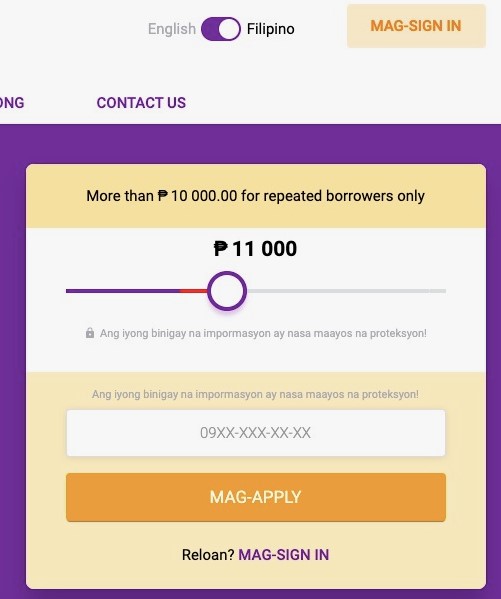
The Digido personal account provides several useful features, including:
These features allow users to manage their loans efficiently without visiting a physical branch.
If you forget your password, you can reset it easily:
To delete your Digido account, you typically need to contact customer support, as self-deletion may not be available directly in the dashboard:
Before requesting account deletion, ensure that all outstanding loans are fully repaid, as active obligations may prevent account closure.
A Digido login provides access to the loan record associated with the customer's registered Philippine mobile number. New users enter a number, confirm it by SMS and submit their identification and application details; returning borrowers access the same account through the website or Digido app. The personal cabinet shows application progress, current repayment obligations, transaction history and account details. It also contains the Digido Lifetime ID, an eight-character identifier required for repayment through Dragon Loans in GCash and Maya. Borrowers can start a new application, review an existing balance and obtain the reference needed for banking payments. The account provides profile edits and a Forgot Password? process using the registered mobile number or email and an OTP. Live-agent assistance is available through the Digido website or app when verification or access is unsuccessful.
A Digido customer does not need to request a separate GCash reference each time. Sign in and locate the loan details and Lifetime ID; review the current amount due before leaving the account. To settle by GCash, open Pay Bills → Loans → Dragon Loans, enter the Lifetime ID and the amount, then finish the bill payment. Digido also supports Maya, QR Ph, UnionBank and offline payment locations. When a transfer remains unposted, keep the electronic receipt and contact live chat, [email protected] or (02) 8876 8484 (Monday–Friday, 8 a.m.–5 p.m.). Include the payment timestamp and Lifetime ID.
Digido's account dashboard contains profile-information controls. If the registered number or email cannot be changed there, contact the lender through its website/app chat or [email protected]; a verification step may be required to protect the loan account.
Use the personal cabinet to find your eight-character Lifetime ID and amount due; make the GCash payment through Pay Bills → Loans → Dragon Loans. Enter the Lifetime ID as the payment reference and the mobile number requested by the GCash form, then keep the transaction record.
An outdated app, incorrect password or failed mobile OTP verification can prevent access. Check the registered phone number, update the official app and use the password recovery flow if needed. For an inaccessible or restricted account, request help through Digido's live chat or [email protected].
Your Feedback Matters!
Share your experience about Digido and help a fellow kabayan make the right choice. It only takes a minute!
Interest |
Loan amount |
Term |
Borrower age |
SEC registered |
||
|---|---|---|---|---|---|---|

|
APR 143% per year
|
₱1,000 — ₱20,000
|
from 61 to 183 days
|
22 — 70 years
|
Registration № CS201726430, CA №1181
|
|

|
from 0%
|
₱1,000 — ₱50,000
|
up to 12 months
|
20 — 70 years
|
SEC Registration No. CS201908275 SEC Certificate of Authority No. 1324
|
|

|
APR 182%
|
₱1,000 — ₱30,000
|
from 61 to 364 days
|
21 — 70 years
|
SEC Registration No. 2021030009095-02 Certificate of Authority No. 3427
|
|